
“I Tried Them Myself — Here’s My Honest Take” — A Real Story from a Senior Blogger in Her 60s
Published on SeniorJourneyBlog.com | Category: Wellness & Healthy Aging
Let me be completely honest with you. I was the kind of person who rolled her eyes every time someone mentioned a smartphone app. When my kids said, “Mom, try this app!” I’d wave my hand and say, “I’m too old for that stuff.” But last fall, my doctor said something that stopped me cold:
“These days, one good wellness app can be more effective for your health management than 30 minutes of walking — if you use it consistently.”
That comment nagged at me. So — skeptically, reluctantly — I gave it a shot. Three months later, I’m a completely different person. Today, I’m going to tell you everything I discovered about the 3 wellness apps that are genuinely worth your time as a senior.
No fluff. No tech jargon. Just my honest, real-world experience.
🔍 Why Seniors Are Finally Paying Attention to Wellness Apps
You might think smartphones and apps are for young people. The numbers say otherwise. As of 2025, 78% of adults aged 65 and older own a smartphone — up significantly from just 61% in 2020. The Senior List And the interest in health technology is growing fast.
According to a major AARP survey of adults age 50-plus, 71% use smartphones or tablets and are open to using health and wellness apps, with 80% saying they are comfortable downloading and trying new ones. AARP
More than half of respondents — 55% — said they use health and wellness apps to track their fitness and physical activity, while 29% use them for health monitoring and another 29% for personal goal setting. AARP
The message is clear: our generation is ready. We just need someone to show us which apps are actually worth it — and how to get started without the overwhelm. That’s exactly what I’m here to do.
💊 App #1: Medisafe — “Did I Already Take My Pill?” — Never Ask Again
My First Reaction When I Installed It
My husband takes three different medications — one for diabetes, one for blood pressure, and one for his joints. Three times a day. Even I — the person helping him — lost track sometimes. “Did he take the morning dose? Or did we skip it?” Once, he took an extra pill just to be safe, and I spent the rest of the day worrying.
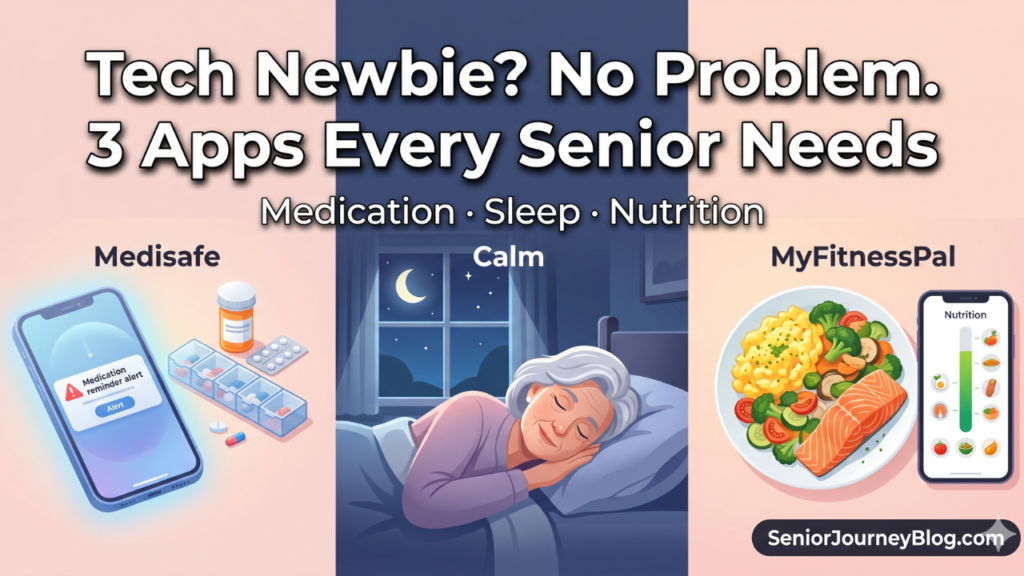
When my daughter suggested Medisafe, I thought, “How is an app going to fix that?” Now I can’t imagine life without it.
I Tried It — Here’s What Actually Happened
Setting it up was simpler than I expected. You enter the medication name, dosage, and the times it needs to be taken. You can even scan the barcode on the prescription bottle and it fills in the information automatically. When it’s time for a dose, your phone sends an alert. You tap “Taken” — and it’s logged. That’s it.
Medisafe also includes a “MedFriend” feature that notifies a designated family member if a dose has been missed, helping older adults manage their health independently while staying connected with loved ones who care about them. Happytohelpcaregiving
At first, I was a little embarrassed having my daughter get notifications about her father’s pills. But honestly? It became a source of comfort for everyone. She stopped worrying from three states away. We stopped second-guessing ourselves. The anxiety just… disappeared.
If you’re already using Medisafe, you’ll find that GoodRx savings features are built right in — so you can compare prescription prices at nearby pharmacies without needing to download a separate app. SeniorLiving.org
💡 Your Action Plan: 3 Steps to Get Started with Medisafe
Step 1. Search “Medisafe” in the App Store (Apple) or Google Play and download it for free. No payment required to get started.
Step 2. Gather your prescription bottles or a current medication list. Enter each medication’s name, dose, and schedule. Use the barcode scanner for faster entry — it takes under 2 minutes per medication.
Step 3. Go to the “MedFriend” feature and connect one trusted family member. This is the game-changer. They’ll receive an alert if a dose is missed — giving everyone peace of mind without feeling intrusive.
Cost: Free for core features. Premium plan ($4.99/month) adds detailed health reports.
💊 Pair Medisafe with a weekly pill organizer to stay on track — here’s one we recommend: ⚠️ As an Amazon Associate, I earn from qualifying purchases.
🧘 App #2: Calm — “I Used to Stare at the Ceiling at 3 AM. Not Anymore.”
The Sleep Problem Nobody Talks About Enough
Once I turned 60, sleep became my biggest health challenge. I’d fall asleep fine, but wake up at 3 a.m. — and that was it. Tossing, turning, watching the clock, dreading the exhaustion the next day. Over time, this affected my memory, my mood, my motivation. Everything.
I tried Calm because a friend mentioned it. She called it a “meditation app,” and honestly, that almost put me off. Meditation felt like something for yoga retreats, not for someone like me.
I Tried It — Here’s What Actually Happened
Calm has a feature called Sleep Stories — a calm, soothing voice telling you a gentle story as you lie in bed. The first night I tried it, I was out within 10 minutes. I’m not exaggerating. I woke up the next morning genuinely surprised.
Calm offers guided meditations, relaxing music, and sleep stories, and even just a few minutes of daily use can help reduce stress and improve sleep quality meaningfully. Hilltopreserve
Calm has also partnered with AARP to offer members special access and discounts on its guided meditations and sleep content — making it easier than ever to prioritize peace of mind at any age. Seniorcarefinder
Here’s how I use it daily:
- 2:00 PM: A 10-minute breathing meditation (the app guides you — you just follow along)
- 10:00 PM: A Sleep Story playing softly as I drift off
The first two weeks, I wasn’t sure it was working. By week three, I was waking up less in the middle of the night. By the end of month one, my husband actually commented: “You’ve been sleeping so well lately — what changed?”
💡 Your Action Plan: 3 Steps to Better Sleep with Calm
Step 1. Download Calm and start the 7-day free trial. You’ll need to enter a credit card, but you can cancel before day 7 with no charge — I recommend setting a phone reminder on day 6.
Step 2. In the app, go to Sleep → Sleep Stories and try a nature-based story like “Rain on Leaves” or “Blue Gold.” These are slow-paced and perfect for first-timers.
Step 3. Set a nightly reminder at 30 minutes before your target bedtime. Dim your phone screen, plug in earbuds or a small Bluetooth speaker, and let the story carry you to sleep.
Cost: $69.99/year (about $5.83/month). AARP members — check for your discount first.
🎧 Pair the Calm app with a cozy sleep mask or a bedside Bluetooth speaker for the ultimate sleep experience — here’s what we recommend: ⚠️ As an Amazon Associate, I earn from qualifying purchases.
🥗 App #3: MyFitnessPal — “I Thought It Was a Diet App. It’s Actually a Nutrition Coach.”
“I Don’t Need to Lose Weight — I Just Want to Eat Right”
My doctor had told me multiple times: “You need more protein.” But I had no idea how to measure that. How much protein is enough? Am I even getting close? I genuinely didn’t know what I was eating — beyond “it seemed healthy.”
MyFitnessPal changed that completely.
I Tried It — Here’s What Actually Happened
The barcode scanner is the feature that won me over immediately. Scan the barcode on a package of tofu, canned fish, or Greek yogurt — and every nutritional detail appears instantly. Calories, protein, calcium, sodium. All of it. For fresh foods or restaurant meals, you can search by name and find almost anything.
MyFitnessPal makes nutritional tracking surprisingly accessible — you simply photograph your meals or scan barcodes, and it shows you exactly where your calories and nutrients are coming from, including whether you’re hitting protein, vitamin, and mineral targets. The Senior List
Here’s what genuinely shocked me: after one week of tracking, I looked at my nutritional summary. I was consuming more than enough carbohydrates — but less than half the recommended daily protein. Half. My doctor was right, and I had no idea. That discovery changed how I shop and cook.
I started intentionally adding eggs, cottage cheese, canned salmon, and edamame to my meals. Three months later, at my next checkup, my doctor noted a slight improvement in my muscle mass measurements.
The free version of MyFitnessPal covers all the basics including calorie and macronutrient tracking, while the premium plan at $24.99/month adds more detailed analysis features — though for most seniors, the free version is more than sufficient. The Senior List
⚖️ Track your health progress even better by pairing MyFitnessPal with a smart scale — here’s one that seniors love: ⚠️ As an Amazon Associate, I earn from qualifying purchases.
💡 Your Action Plan: 3 Steps to Start with MyFitnessPal
Step 1. Download the free app and enter your height, weight, and age. Set your goal to “Maintain Weight” or “Eat Healthier” — you don’t have to be trying to lose weight for this app to be incredibly useful.
Step 2. For the first week, track only your lunch. Not every meal — just one. This removes the pressure and helps you build the habit without feeling overwhelmed.
Step 3. After 7 days, open the Nutrition Summary tab and look at your protein and calcium numbers. If they’re consistently below 80% of the daily goal, add one protein-rich food per day — a boiled egg, a cup of Greek yogurt, or a small serving of canned fish.
Cost: 100% free for core features. The free version is genuinely excellent.
📊 Side-by-Side Comparison: Which App Is Right for You?
| App | Primary Benefit | Ease of Use | Cost | Best For |
|---|---|---|---|---|
| Medisafe | Medication reminders & tracking | ⭐ Very Easy | Free | Anyone taking multiple prescriptions |
| Calm | Sleep improvement & stress relief | ⭐ Very Easy | ~$70/year | Those with irregular or poor sleep |
| MyFitnessPal | Nutrition awareness & tracking | ⭐⭐ Moderate | Free | Those wanting to eat more intentionally |
🌟 My Honest 3-Month Verdict
Here’s the most important thing I learned: don’t install all three at once. I tried that. I used none of them.
I started with Medisafe alone — because managing my husband’s medications was the most urgent need. After two weeks, it felt natural. Then I added Calm. Once that became a habit, I added MyFitnessPal. Gradual stacking made all the difference.
Technology should empower, not overwhelm — and once you discover apps that truly fit your lifestyle, small digital habits can make a surprising difference in your daily comfort, safety, and sense of connection. Seniorcarefinder
Don’t let the word “app” intimidate you. Three months ago, I would have laughed at myself for writing this article. Now I genuinely believe that these three tools have added quality to my daily life in ways I didn’t expect.
One app. One week. That’s all it takes to start.
💌 A Warm Closing Note
Extending your healthy years doesn’t require dramatic changes. It starts with taking the right medications at the right time, sleeping well, and knowing what you’re putting on your plate. These three apps help you do exactly that — more easily, more consistently, and with a lot less stress.
💡 Frequently Asked Questions (FAQ)
Q1. Can seniors who aren’t comfortable with smartphones really use these apps?
A1. Absolutely. Medisafe and Calm are specifically designed to be beginner-friendly — featuring large text, big buttons, and intuitive navigation that works well even for first-time app users. Many seniors start with help from a family member during the initial setup and then use the apps independently from day two onward. Both apps also support voice-guided features and accessibility settings for larger text display.
Q2. Does a medication reminder app like Medisafe actually make a measurable difference in health outcomes?
A2. Research consistently shows that nearly 50% of patients with chronic conditions do not take medications as prescribed — and missed doses are one of the leading causes of preventable health complications in older adults. Medisafe directly addresses this by sending timely reminders, logging each dose taken, and alerting a trusted family member if a dose is skipped. For seniors managing blood pressure, diabetes, or heart conditions, consistent medication adherence can significantly reduce the risk of serious health events.
Q3. Can the Calm app replace sleep medication for seniors with insomnia?
A3. Calm is not a medical device and should not be used as a substitute for prescribed sleep medication or a physician’s guidance. However, for mild to moderate sleep disruption — particularly stress-related wakefulness — its guided breathing exercises, relaxing soundscapes, and Sleep Stories have been shown to support natural sleep onset by reducing anxiety and promoting physical relaxation. Seniors experiencing serious or chronic insomnia should consult their doctor. Calm works best as a daily wellness habit that complements, rather than replaces, professional medical care.